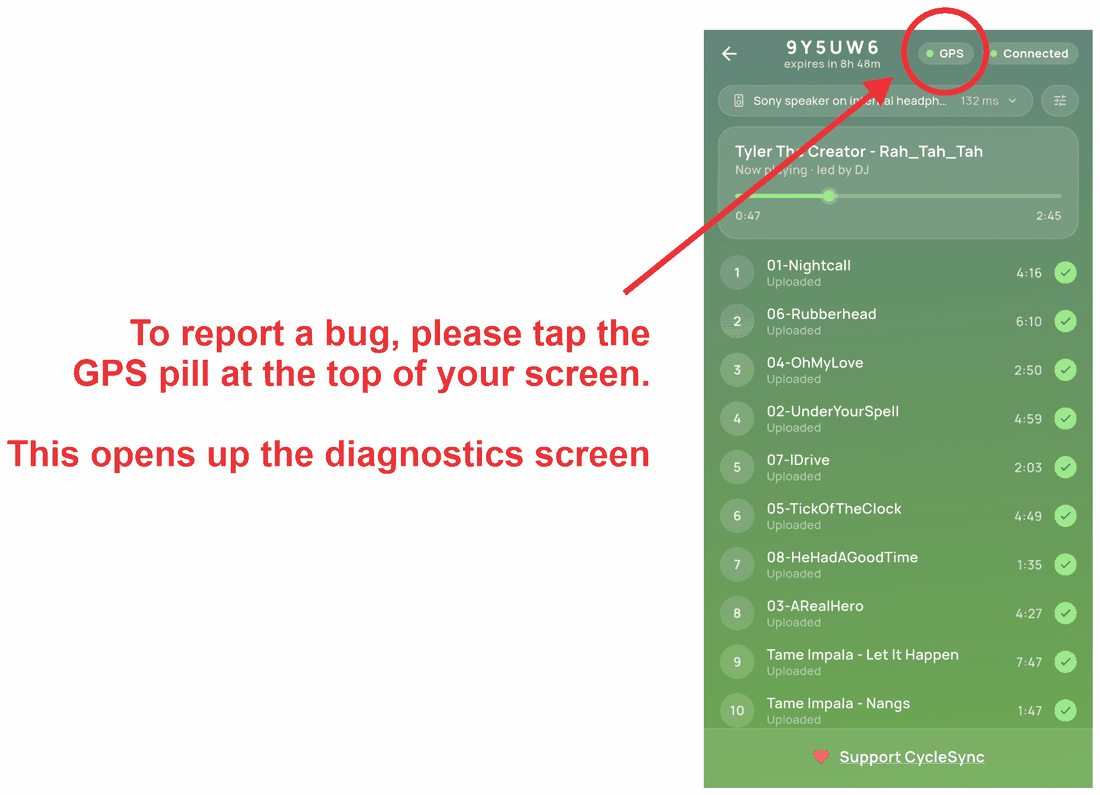
Join the Google Group
Google Play will only let you enrol as a tester if your Google account is a member of this group.
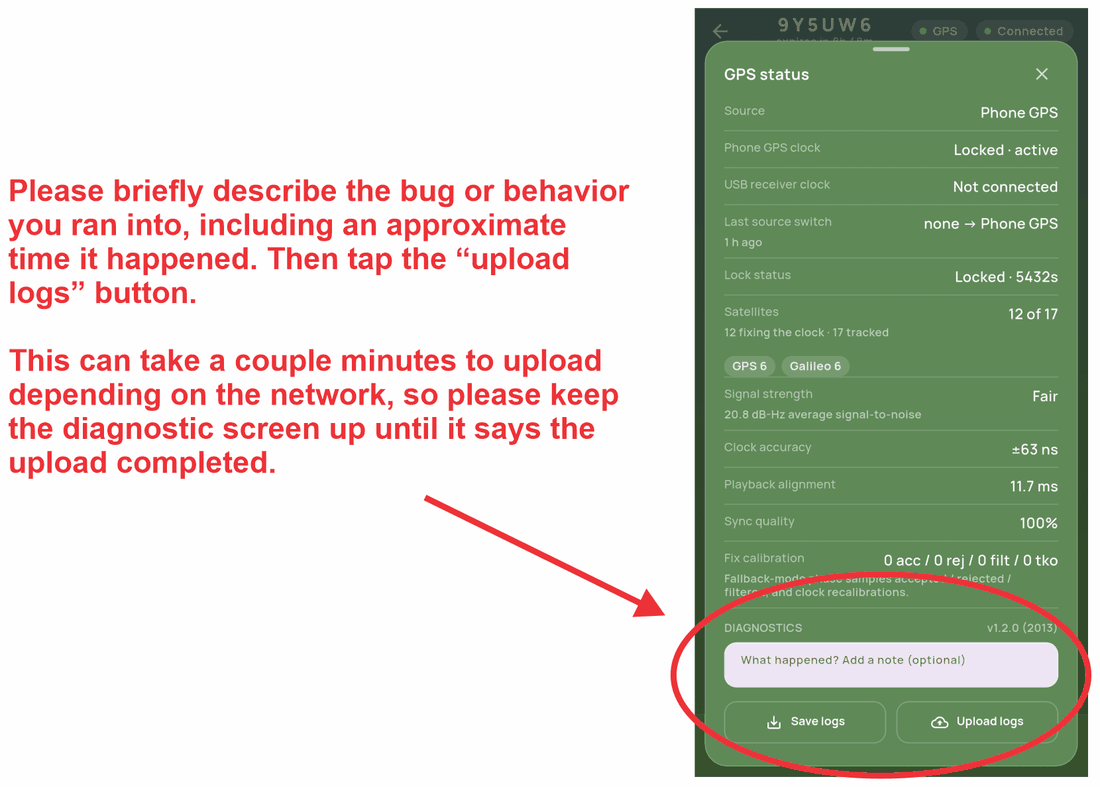
When the join dialog appears, make sure “Link to my Google account profile” is ticked before you click Join group. If it isn't, Play won't match you to the test.
Open the Google Group ↗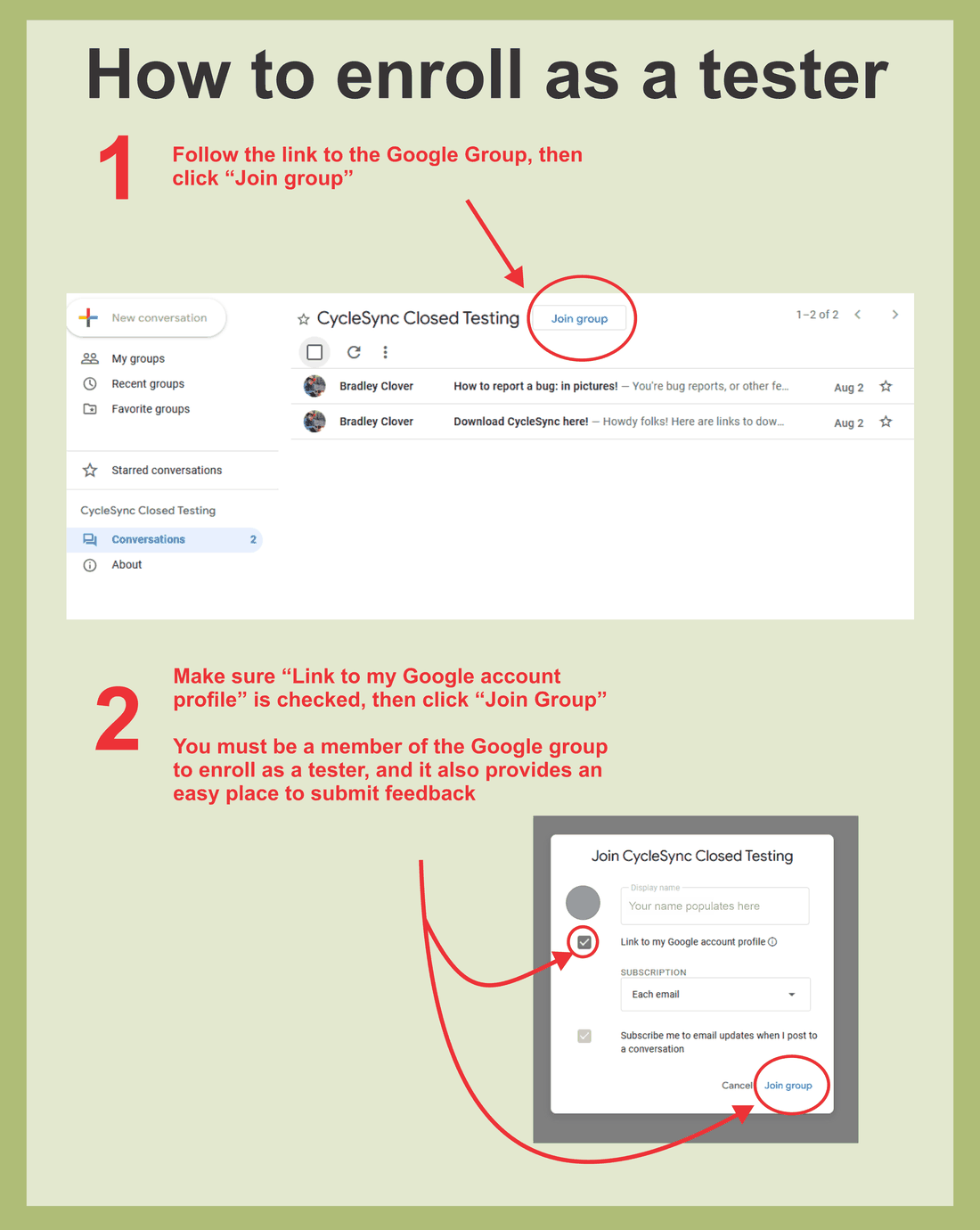
Follow the links in “How to download CycleSync”
Once you're a member, open the group post titled “How to download CycleSync”. It holds two links: one that enrols you as a tester, and one that opens CycleSync in the Play Store. Use them in that order: enrol first, then install.
Use the same Google account you joined the group with. If the Play Store says the app isn't available, the enrolment hasn't propagated yet; wait a few minutes and reload.
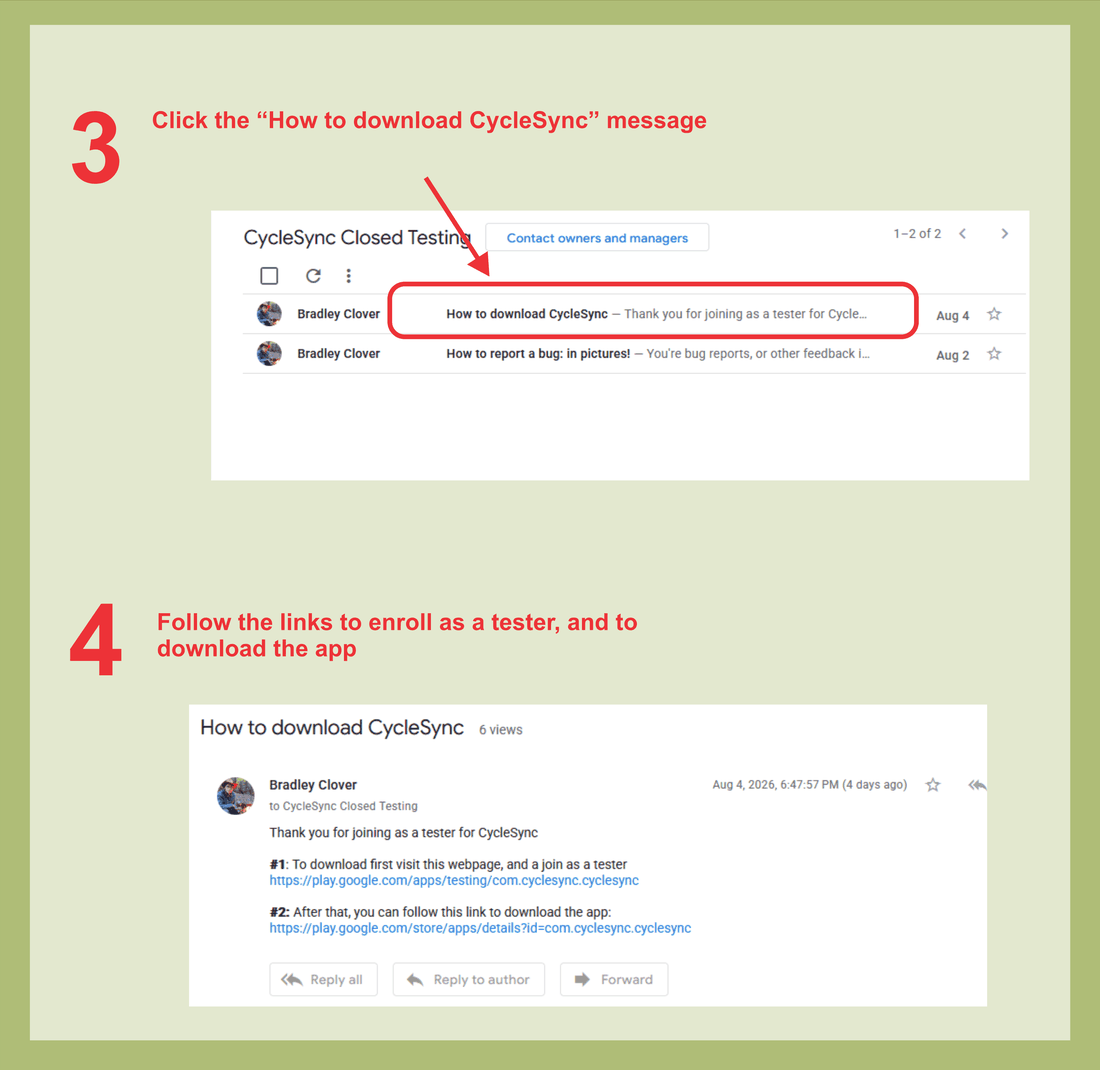
Tell me what happened
Anything counts: audio that drifted, a screen that looked wrong, a button that did nothing. A ride where it all worked is just as useful to hear about. Use whichever route is easiest.
Roughly when it happened is the most useful thing you can tell me; the logs are timestamped.